




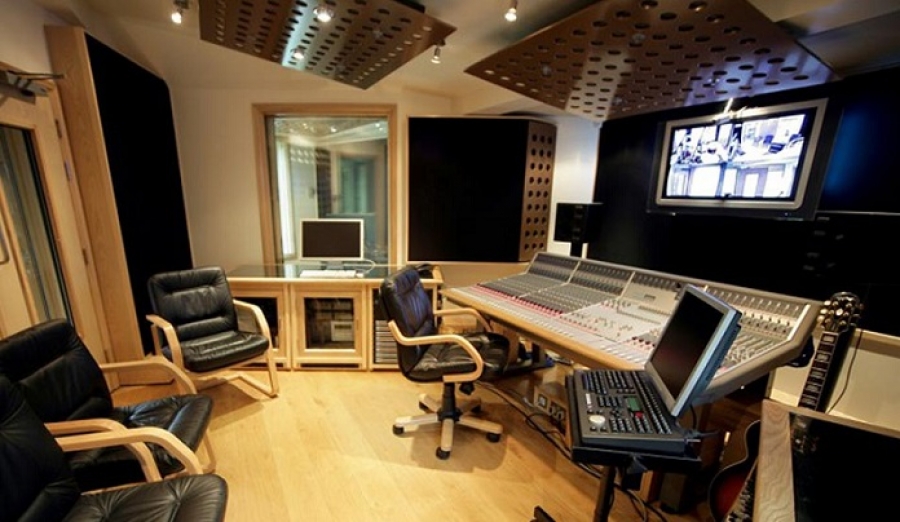
There is no ideal setup because each Home Studio depends on what you want it to be whether you are a beat maker, a composer, a band or a solo artist. To help you assemble your first home studio and facilitate your choice among the variety of equipment offered by manufacturers, here we present a simple configuration to begin, consisting of essential elements.
Definition of home studio
A Home Studio is a small studio recording and mixing for amateur or professional. It consists of a set of elements derived from computer-aided music (CAM) to record, create, process or mix music and sounds. Your home studio will allow you to manage audio or MIDI signals using a computer, a sound card, a monitoring system, and optional devices such as a microphone, keyboard, sampler, workstation or a mixer.
A computer
This is the central piece of Home Studio! It is therefore essential to have a fast computer by its power, with a good motherboard and a high quality processor. To avoid bugs during the creation or the mix of your music, it is better not to use other programs in the background which would make you lose power (internet, games, display of several windows etc.) because the music requires a lot of resources!
To save your masterpieces, plan an internal or external hard drive of at least 500 GB. We recommend that you make a separate backup of your system in case of hard drive failure so you can be sure not to lose all your data.
Music Creation Software
Music Creation Software or Digital Audio Workstation (DAW) lets you find all the functions of a mixer on your computer. From one software to another, we will find more or less the same functions but with different ergonomics. These software are very complete and offer a number of tracks important enough. They also contain effects and processing plugins as well as a large collection of samples and modeled instruments.
A master keyboard
The master keyboard or keyboard is used to control your music creation software, connected directly to your computer via a USB port. Unlike the arranger keyboard and the workstation synthesizer, the master keyboard does not have any sound or pre-recorded rhythm, but allows you to record MIDI sequences by playing an instrument from the software.
A sound card
The sound card or audio interface is the element of your computer that can process all sound elements (voice, music, system sounds) via audio creation and production software. You might think that the internal sound card on your computer is enough, however, a dedicated sound card gives you many benefits such as the quality of the conversion from analog to digital and a set of connections for your XLR cables, Jack, SPDIF or others, allowing you to connect external instruments, microphones, headsets etc.
A headset
For mix and sound you will need a headset. A headset is different from a studio headset because it offers a much more accurate sound and better quality (less flattering, more neutral) to analyze your music. There are two types of studio helmets: closed helmets and open or semi-open helmets. The closed headphones are generally used for recording tracks and the open headphones for mixing.
However, we will not advise you to mix your music exclusively with the headphones, because even with a great headphone, the sound output can be misleading and differ from listening on speakers. So, from time to time, take a break and listen to your music on a good pair of speakers.
Speaker
The monitor speakers deliver a precise sound, supposed to be faithful to that recorded raw at the beginning of the chain and therefore having for vocation to be worked, cut. For your home studio, it will guide your choice to speakers very linear, that is to say with a good balance between the bass, midrange and treble. This sound balance will allow you to hear and hear all the details of your music to help you make a perfect mix and listen to your music on any other listening system.
A microphone
A microphone or Versatile Wireless Microphone is cataloged according to their capsule types but also according to their directivity, i.e. the way they capture the sound coming from different directions. There are two main types of microphones: micro-omnidirectional and micro-directional. Omnidirectional microphones, of simple design and manufacturing, have an easy-to-understand operation.
Omnidirectional microphones
These microphones pick up the sound evenly, regardless of their source, whether they are pointed at the subject or the opposite, provided of course that it is equidistant. Note, however, that the best models of omnidirectional microphones tend to become directional at high frequencies, therefore, a sound of the same intensity from the back will seem less clear than the one from the front.
Directional microphones
These are designed for front-end (and also back-side) audio pickup, eliminating off-axis sound. The main directional models include microphones, cardioids, subcardioids, hypercardioids, and bi-directional microphones. Also included in this general category, the barrel microphones, whose much more sophisticated design allows directivity greater than that of the four basic models.
What is the "best" directivity?
When choosing a directional or omnidirectional microphone, the use (recording or sound reinforcement), the acoustic conditions, the required range and the intended sound quality are taken into account. Directional microphones have the merit of eliminating unwanted noise, reducing reverberation and increasing gain before snapping. But in a good acoustic environment, omnidirectional microphones, well placed, manage to preserve the original sound quality, and their flat response and lack of proximity effect often win the support of users.